

Documentation Index
Fetch the complete documentation index at: https://cometchat-22654f5b-docs-android-v6-beta2.mintlify.app/llms.txt
Use this file to discover all available pages before exploring further.
Overview
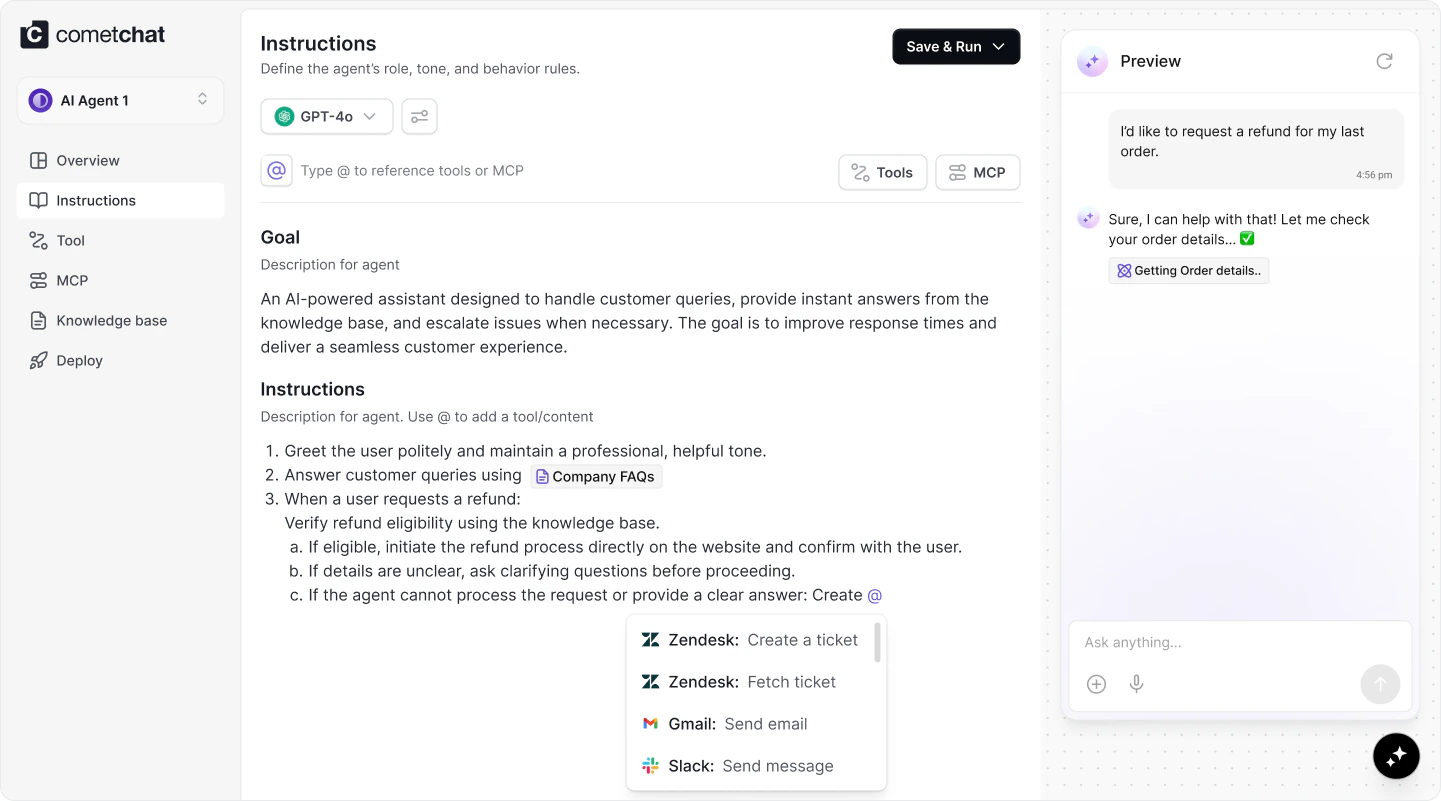
Agent Builder provides the capability to create, configure, and customize AI agents directly within CometChat. It supports selecting models, integrating ready-to-use tools, APIs, and MCPs, and deploying agents without relying on any external management or orchestration platforms.Getting Started
How to create an agent – step-by-step guide
Create or open an app
Sign in at CometChat Dashboard ↗. Create a new app or open an existing one where the agent will live.
Navigate to Agent Builder
From the dashboard, go to AI Agent → Agent Builder and select Add AI Agent.
Fill in agent details
Provide the required metadata before you can create the agent:
- Agent Name - enter a clear, memorable name.
- Icon URL - supply an image URL for the agent avatar.
- Description - describe the agent’s purpose so teammates can recognise it later.
Configure the agent
After creation, configure instructions, tools, and MCPs from the left-hand tabs. Detailed guidance lives in the Instructions, Tools, and MCP sections.
Advanced Configuration
Instructions
- Instructions define how your agent behaves, what it knows, and how it should respond. Use them to set tone, outline guardrails, and describe hand-off rules.
- The instructions editor supports
@mentions so you can reference specific tools and MCP resources inline—this gives the agent unambiguous guidance about when to invoke each capability.
Tools and MCPs
- Attach tools for deterministic actions (custom APIs, Google Suite, or other integrations) and link MCP endpoints for richer context.
- You can embed any of these capabilities directly inside instructions using the
@menu, ensuring the agent knows exactly when and how to rely on them.