

Welcome to CometChat’s REST API documentation! This documentation provides detailed information on the Chat APIs offered by CometChat, a comprehensive communication platform that enables developers to integrate chat functionality into their server side applications effortlessly.Documentation Index
Fetch the complete documentation index at: https://cometchat-22654f5b-docs-android-v6-beta2.mintlify.app/llms.txt
Use this file to discover all available pages before exploring further.
API Resources
| Resource | Description |
|---|---|
| Users | Create, list, update, and delete users |
| Auth Tokens | Create, list, and manage user authentication tokens |
| Groups | Create, list, update, and delete groups |
| Group Members | Add, remove, list, and manage group membership |
| Messages | Send, list, update, and delete messages |
| Conversations | List and manage user conversations |
| Friends | Manage friend relationships between users |
| Blocked Users | Block and unblock users |
| Banned Users | Ban and unban users from groups |
| Roles | Create and manage user roles |
| API Keys | Create and manage API keys |
| Calls | Retrieve and list call records |
| RBAC | Configure role-based and scope-based access control |
| Restrict Features | Restrict features per role |
| Notifications | Manage push and other notifications |
| Moderation | Moderate content and users |
| AI Agents | Configure and manage AI agents |
| Data Import | Import users, groups, members, and messages in bulk |
| Metrics | Retrieve app usage metrics |
Introduction
CometChat’s REST API offers a wide range of functionalities to empower developers in building rich and interactive chat experiences for their users. With our REST API, you can perform a wide range of operations, including sending messages, managing user profiles, creating groups, and much more. Whether you’re developing a web application, mobile app, or any other platform, our REST API offers the flexibility and scalability to meet your needs. This documentation is structured to provide clear instructions and examples for each API endpoint, along with details on request and response formats and authentication methods. Whether you’re a seasoned developer or just getting started, our goal is to make the integration process as smooth and straightforward as possible.Getting Started
To get started with CometChat’s REST API, you’ll need to obtain your App ID, API key & region by signing up for an account on CometChat’s dashboard. Once you have those details, you can start integrating CometChat’s features into your application.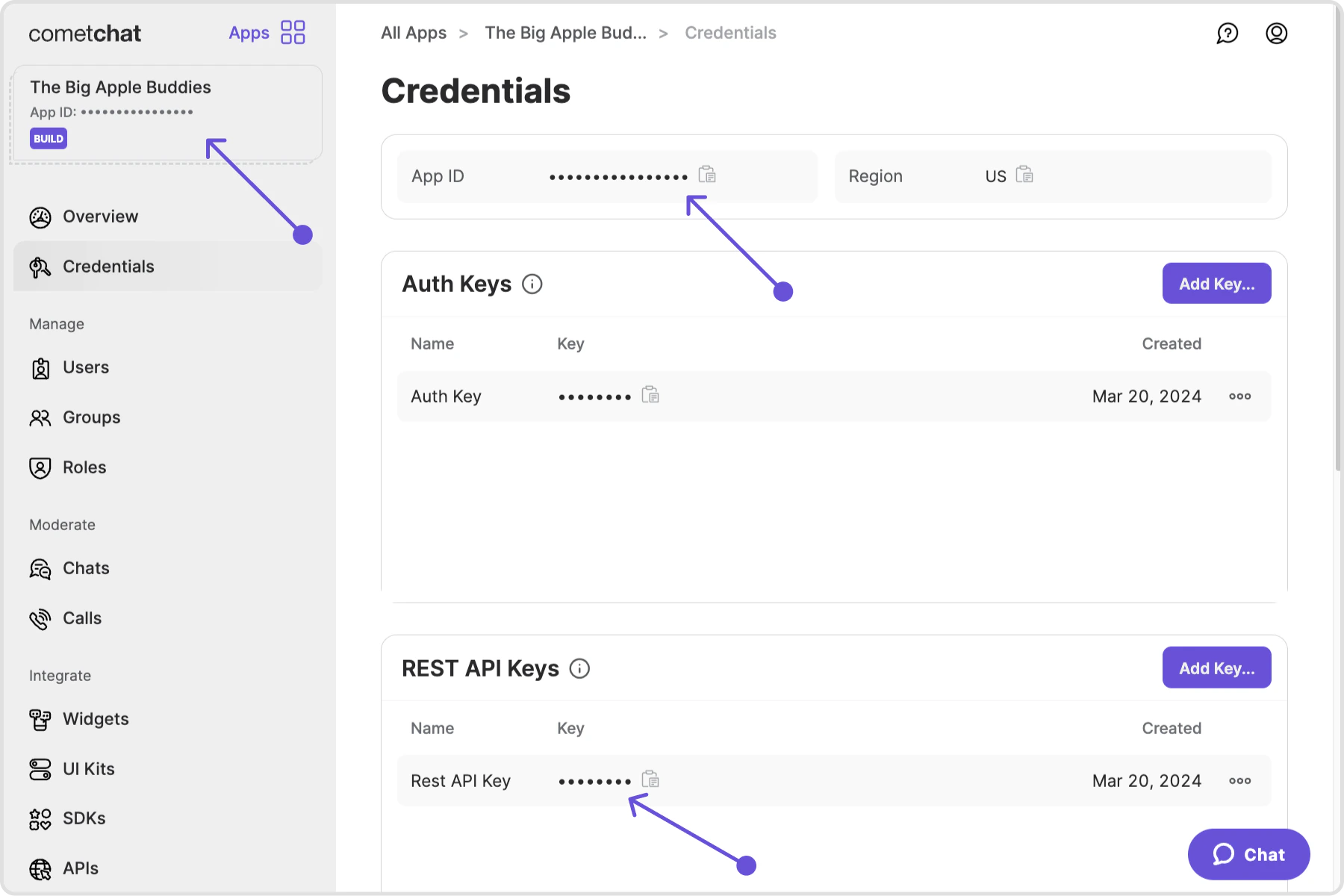
Authentication
Authentication is a crucial aspect of utilizing CometChat’s REST API securely. All API requests must be accompanied by an API key to authenticate the incoming requests. For a complete guide on API key scopes, auth tokens, theonBehalfOf header, and security best practices, see the Authentication Guide.
The HTTP header name for authentication is
apikey (all lowercase). In
JSON response bodies, the API key property is returned as apiKey
(camelCase). This distinction is intentional — HTTP headers are
case-insensitive by specification, while JSON properties are case-sensitive.Endpoints
CometChat’s REST API offers a variety of endpoints catering to different aspects of chat functionality, including user management, messaging, groups, and many more. These endpoints are designed to be intuitive and easy to integrate into your application’s backend infrastructure. Example of a List users API request in curl command syntax:Error codes
CometChat provides error codes to help you understand and troubleshoot issues when interacting with the API.Each error code is accompanied by a description of its meaning and potential causes. Error codes specific to each API are documented in their respective API reference pages. For a complete reference of all error codes across the platform, see the Error Guide.
Properties and Constraints
Understanding the limits and constraints of the API helps you build reliable integrations. This includes maximum field lengths, entity limits, file size restrictions, and more. For a full breakdown, see Properties and Constraints.Rate limits
The Rate Limits provides information about the limits on the number of API calls you can make in a certain period.By defining and enforcing rate limits, the API maintains optimal performance, prevents abuse, and ensures fair usage for all users.
More about rate limits can be found here.
Data Center Hosting
The CometChat API is presently situated in three regions:- US
- EU
- IN
API Versioning
The current API version isv3. All endpoints use the /v3/ path prefix. When breaking changes are introduced, CometChat will release a new version while maintaining the previous version for a deprecation period.
Deprecated endpoints are marked with a deprecated badge in the sidebar and include migration guidance with replacement endpoints.