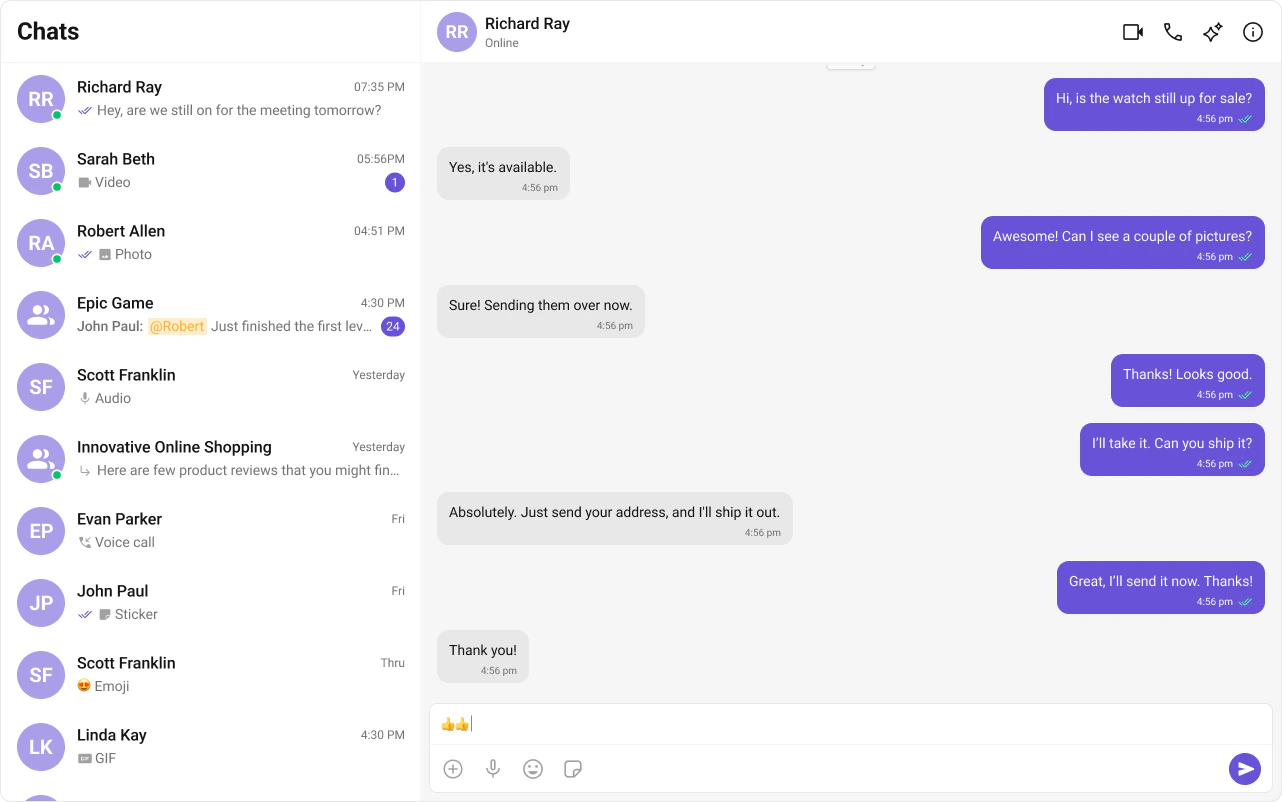
This guide builds a two-panel chat layout — conversation list on the left, messages on the right. Users tap a conversation to open it.This assumes you’ve already completed Angular Integration (project created, UI Kit installed, init + login working, CSS imported).
Wire the conversation list and message components together in your root component. The UIKit’s ChatStateService handles all the wiring — when a user clicks a conversation, cometchat-conversations updates the service, and the message components automatically react to the change.
cometchat-conversations calls ChatStateService.setActiveConversation() automatically when a conversation is clicked.
setActiveConversation() extracts the User or Group and sets it as the active entity, enforcing mutual exclusivity (setting a user clears the group, and vice versa).
cometchat-message-header, cometchat-message-list, and cometchat-message-composer auto-subscribe to ChatStateService — no [user] or [group] bindings needed.
The @if block reads chatStateService.activeUser() and chatStateService.activeGroup() signals to show the chat window or the empty state.
This is the recommended approach for most applications. For advanced use cases like multi-panel layouts
where each panel needs independent state, you can pass [user] or [group] via @Input() bindings
to override the service. See the State Management guide for details.