Documentation Index Fetch the complete documentation index at: https://cometchat-22654f5b-docs-android-v6-beta2.mintlify.app/llms.txt
Use this file to discover all available pages before exploring further.
AI Integration Quick Reference
Field Value Platform iOS UI Kit Theme Class CometChatThemePrimary Color CometChatTheme.primaryColor — Main brand color (#6852D6 default)Background Colors backgroundColor01, backgroundColor02, backgroundColor03Text Colors textColorPrimary, textColorSecondary, textColorTertiaryAlert Colors successColor, errorColor, warningColor, infoColorDark Mode Use UIColor { traitCollection in } for dynamic colors Apply Timing Set theme before CometChatUIKit.init()
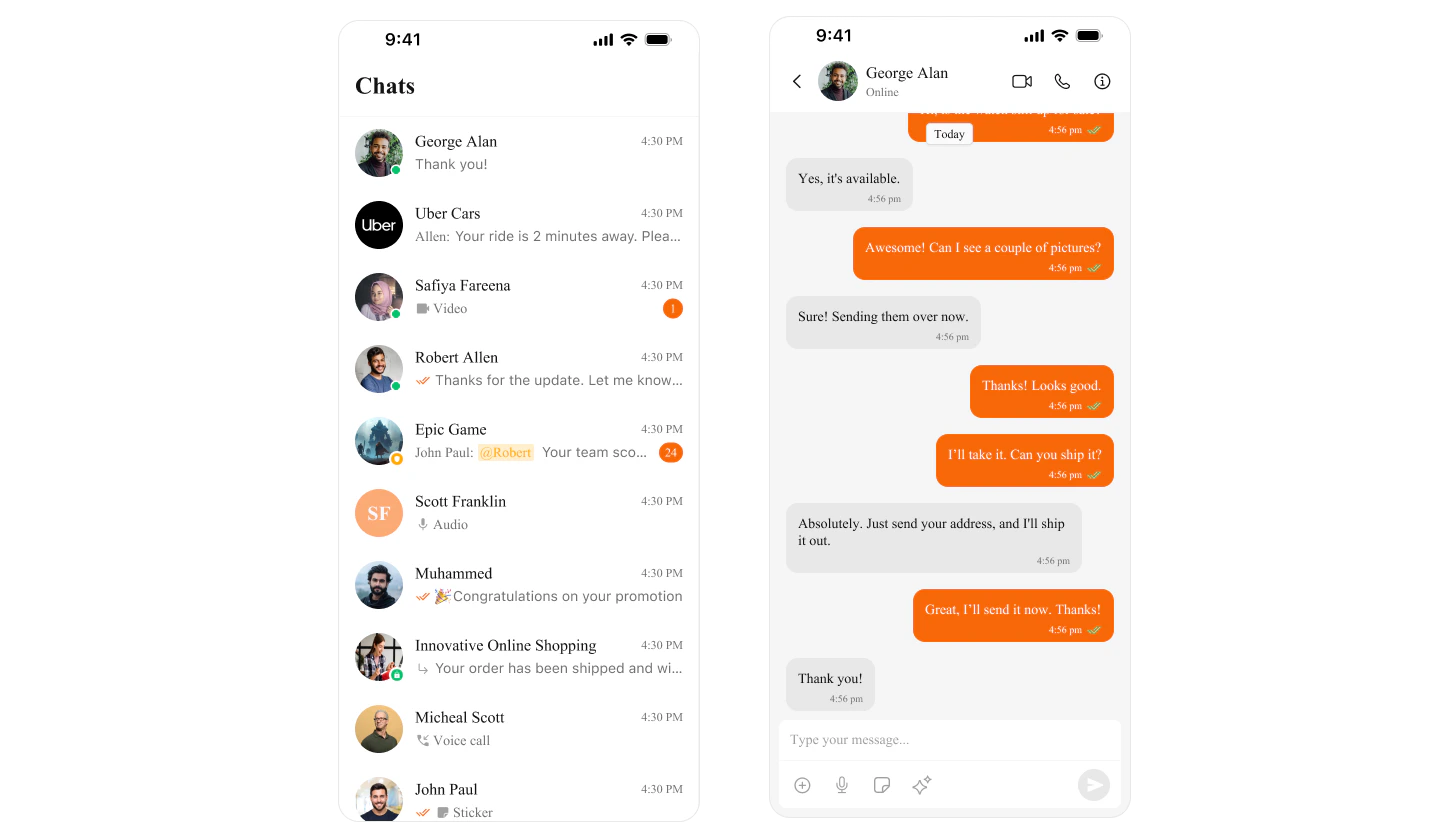
Overview CometChat UI Kit uses CometChatTheme to manage colors across all components. Colors automatically adapt to Light and Dark mode, ensuring a consistent experience.
Color Categories Category Purpose Examples Primary Main brand color, buttons, links primaryColorBackground Screen and component backgrounds backgroundColor01, backgroundColor02Text Typography colors textColorPrimary, textColorSecondaryBorder Dividers and outlines borderColorLight, borderColorDarkAlert Status indicators successColor, errorColor, warningColorIcon Icon tints iconColorPrimary, iconColorSecondary
Quick Start Access Default Colors import CometChatUIKitSwift // Primary brand color let primary = CometChatTheme. primaryColor // #6852D6 // Background colors let background = CometChatTheme. backgroundColor01 // White (light) / #141414 (dark) let secondaryBg = CometChatTheme. backgroundColor02 // Text colors let primaryText = CometChatTheme. textColorPrimary let secondaryText = CometChatTheme. textColorSecondary // Alert colors let success = CometChatTheme. successColor // Green let error = CometChatTheme. errorColor // Red let warning = CometChatTheme. warningColor // Orange // Icon colors let iconPrimary = CometChatTheme. iconColorPrimary let iconSecondary = CometChatTheme. iconColorSecondary
Customize Theme Colors Change Primary Color (Brand Color) import CometChatUIKitSwift // Set your brand color globally CometChatTheme. primaryColor = UIColor ( hex : "#FF5722" ) // Orange brand // All components will now use this color for: // - Buttons // - Links // - Selected states // - Accent elements
Complete Theme Customization import CometChatUIKitSwift class ThemeManager { static func applyCustomTheme () { // Brand colors CometChatTheme. primaryColor = UIColor ( hex : "#6200EE" ) // Purple // Background colors CometChatTheme. backgroundColor01 = UIColor ( hex : "#FFFFFF" ) CometChatTheme. backgroundColor02 = UIColor ( hex : "#F5F5F5" ) CometChatTheme. backgroundColor03 = UIColor ( hex : "#EEEEEE" ) // Text colors CometChatTheme. textColorPrimary = UIColor ( hex : "#212121" ) CometChatTheme. textColorSecondary = UIColor ( hex : "#757575" ) CometChatTheme. textColorTertiary = UIColor ( hex : "#9E9E9E" ) // Border colors CometChatTheme. borderColorLight = UIColor ( hex : "#E0E0E0" ) CometChatTheme. borderColorDark = UIColor ( hex : "#BDBDBD" ) // Alert colors CometChatTheme. successColor = UIColor ( hex : "#4CAF50" ) CometChatTheme. errorColor = UIColor ( hex : "#F44336" ) CometChatTheme. warningColor = UIColor ( hex : "#FF9800" ) CometChatTheme. infoColor = UIColor ( hex : "#2196F3" ) // Icon colors CometChatTheme. iconColorPrimary = UIColor ( hex : "#212121" ) CometChatTheme. iconColorSecondary = UIColor ( hex : "#757575" ) } } // Apply in AppDelegate or SceneDelegate ThemeManager. applyCustomTheme ()
Dark Mode Support CometChat automatically adapts to system appearance. You can also customize dark mode colors:
import CometChatUIKitSwift import UIKit class ThemeManager { static func applyTheme () { // Create dynamic colors that adapt to light/dark mode CometChatTheme. primaryColor = UIColor { traitCollection in return traitCollection. userInterfaceStyle == . dark ? UIColor ( hex : "#BB86FC" ) // Light purple for dark mode : UIColor ( hex : "#6200EE" ) // Purple for light mode } CometChatTheme. backgroundColor01 = UIColor { traitCollection in return traitCollection. userInterfaceStyle == . dark ? UIColor ( hex : "#121212" ) // Dark background : UIColor ( hex : "#FFFFFF" ) // White background } CometChatTheme. textColorPrimary = UIColor { traitCollection in return traitCollection. userInterfaceStyle == . dark ? UIColor ( hex : "#FFFFFF" ) // White text : UIColor ( hex : "#212121" ) // Dark text } } }
Color Reference Primary Colors Property Light Mode Dark Mode Usage primaryColor#6852D6#6852D6Buttons, links, accents
Background Colors Property Light Mode Dark Mode Usage backgroundColor01#FFFFFF#141414Main background backgroundColor02#F5F5F5#1E1E1ESecondary background backgroundColor03#EEEEEE#2C2C2CTertiary background
Text Colors Property Light Mode Dark Mode Usage textColorPrimary#141414#FFFFFFMain text textColorSecondary#727272#A0A0A0Secondary text textColorTertiary#A0A0A0#727272Hints, placeholders
Alert Colors Property Color Usage successColor#09C26FSuccess states errorColor#F44649Errors, missed calls warningColor#FFAB00Warnings infoColor#2196F3Information
Border Colors Property Light Mode Dark Mode Usage borderColorLight#E8E8E8#2C2C2CSubtle borders borderColorDark#CCCCCC#404040Prominent borders
Production Example Complete app with custom branding:
import UIKit import CometChatUIKitSwift @main class AppDelegate : UIResponder , UIApplicationDelegate { func application ( _ application : UIApplication, didFinishLaunchingWithOptions launchOptions : [UIApplication.LaunchOptionsKey: Any ] ? ) -> Bool { // Apply custom theme before initializing CometChat applyBrandTheme () return true } private func applyBrandTheme () { // Your brand colors let brandPrimary = UIColor ( hex : "#1E88E5" ) // Blue let brandSecondary = UIColor ( hex : "#FFC107" ) // Amber // Apply to CometChat theme CometChatTheme. primaryColor = brandPrimary // Customize backgrounds CometChatTheme. backgroundColor01 = UIColor { trait in trait. userInterfaceStyle == . dark ? UIColor ( hex : "#0D1117" ) : UIColor ( hex : "#FFFFFF" ) } CometChatTheme. backgroundColor02 = UIColor { trait in trait. userInterfaceStyle == . dark ? UIColor ( hex : "#161B22" ) : UIColor ( hex : "#F6F8FA" ) } // Customize text CometChatTheme. textColorPrimary = UIColor { trait in trait. userInterfaceStyle == . dark ? UIColor ( hex : "#C9D1D9" ) : UIColor ( hex : "#24292F" ) } CometChatTheme. textColorSecondary = UIColor { trait in trait. userInterfaceStyle == . dark ? UIColor ( hex : "#8B949E" ) : UIColor ( hex : "#57606A" ) } // Alert colors CometChatTheme. successColor = UIColor ( hex : "#238636" ) CometChatTheme. errorColor = UIColor ( hex : "#DA3633" ) CometChatTheme. warningColor = brandSecondary } } // UIColor extension for hex support extension UIColor { convenience init ( hex : String ) { var hexSanitized = hex. trimmingCharacters ( in : . whitespacesAndNewlines ) hexSanitized = hexSanitized. replacingOccurrences ( of : "#" , with : "" ) var rgb: UInt64 = 0 Scanner ( string : hexSanitized). scanHexInt64 ( & rgb) let r = CGFloat ((rgb & 0xFF0000 ) >> 16 ) / 255.0 let g = CGFloat ((rgb & 0x00FF00 ) >> 8 ) / 255.0 let b = CGFloat (rgb & 0x0000FF ) / 255.0 self . init ( red : r, green : g, blue : b, alpha : 1.0 ) } }
Component Styling Style individual components
Theme Introduction Complete theming guide
Getting Started Initial setup